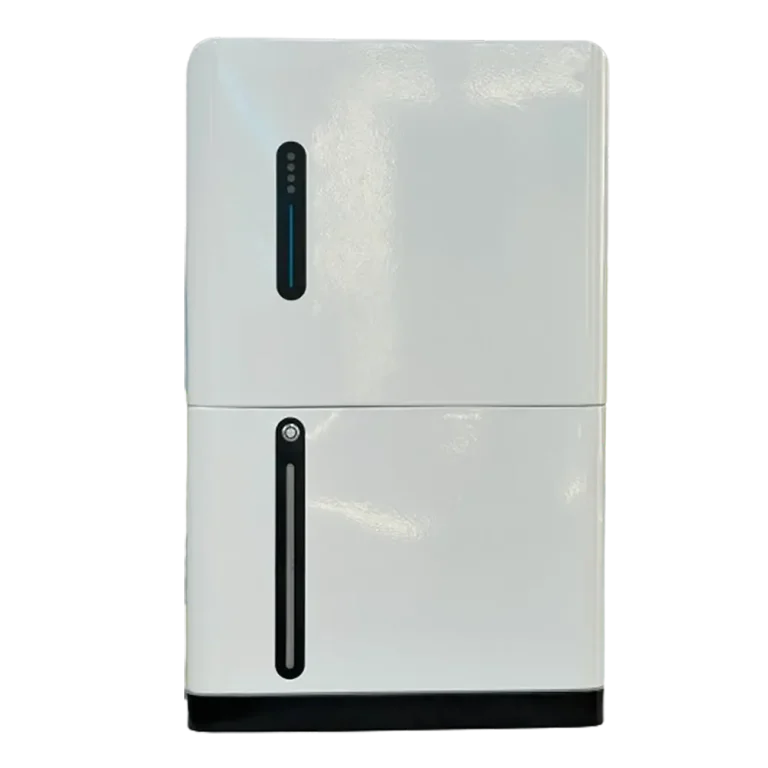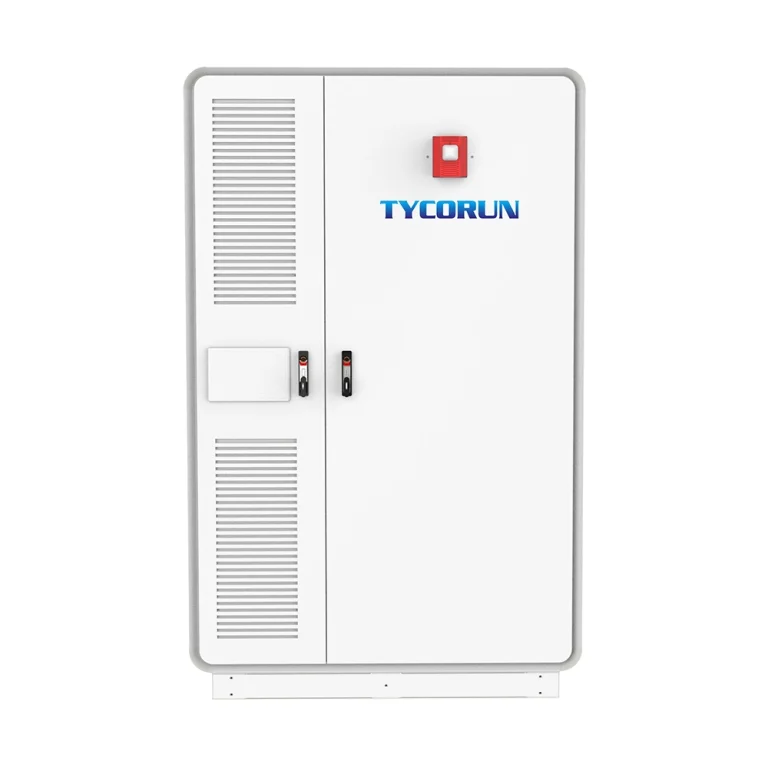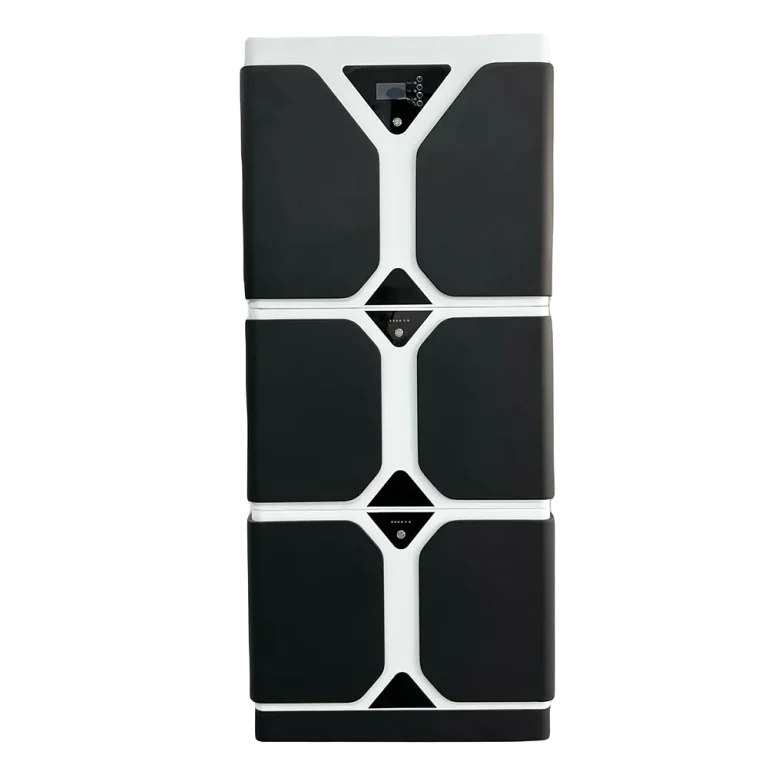


Usually, it contains a cell of batteries and an inverter, which transforms DC battery power into electrical energy that the PC can utilize. Best UPS for computer with 5 hours backup units, versatile in their uses, are valuable to any setup.
What is battery backup for computer?
Power Reserve
The battery backup for computer, a reliable companion, is crucial in preventing data loss. It instantly supplies power if the primary power source fails, ensuring the computer can function continuously. This proactive measure stops any potential harm or loss of information that can occur whenever a PC unexpectedly loses electricity.
Control of Voltage
One of the critical features of battery backup for computer units is their voltage management capabilities. They are designed to shield electronics from power outages, shifts, and peaks, ensuring a stable and consistent power supply. This feature is particularly crucial for sensitive electronic equipment, such as servers and networking devices, providing a reassuring layer of protection.
Problems with the electrical grid or thunderstorms may bring on these variations.
Secure Disconnect
A battery backup for computer can supply sufficient electricity to the PC to enable a secure closure in the case of an extended power failure. This prevents data damage and other issues arising from a sudden PC shutdown.
Safeguarding of Equipment
Additionally, battery backup for computer units shields linked hardware from electrical disturbances and disruption, which can shorten its lifespan and degrade effectiveness.
The configuration and mechanism of a PC cell energy source
A battery backup for computer is an essential part of keeping electrical gadgets, particularly computers—powered on during interruptions in electricity or variations. Its primary purpose is to supply energy back up to the attached devices while the entire infrastructure can be safely shut off or the main power supply is re-established. An outline of a typical power backup for computer construction as well as its rules of operation, is provided below. Click balcony solar storage system to get more content that interests you.
Battery
A UPS energy storage backup for computer is its main component. When required, it delivers the chemical power that is stored as electricity. Lead-acid batteries and more sophisticated materials like lithium-ion packs are frequently used in backup power sources. The time the uninterrupted power supply may operate the linked gadgets throughout an energy loss depends upon the battery capability.
Charging and rectifier combined
To replenish a cell, the rectifier/charger must transform alternating current power from the electrical grid towards direct current energy. It guarantees that the energy source is always fully energized and prepared to deliver electricity whenever required.
Converter
Another essential part of battery backup for computer components is the inverter. It transforms battery-powered DC electricity into alternating current energy suitable for the electrical equipment linked to it. When the inverter is not needed during regular operation, and the electrical supply is accessible, the electricity can go straight to the gadgets without traversing the cell.
Automated controller of power
An AVR is a feature found on numerous uninterrupted power supply systems that controls the amount of power applied to linked gadgets. It ensures that regardless of variations or spikes in the primary source of electricity, the current stays within the safety limits. This guards against damage to delicate electronic gadgets.
Circuitry for control and observation
Current computer battery backup power supply are furnished with management and surveillance circuits that keep track of the load placed on the UPS, computer ups battery price, the condition of the primary electrical source, and its cell capacity. This circuitry ensures that linked gadgets always have power by smoothly alternating between primary and cell power.
Outlets/sockets for output
Electrical gadgets like PCs, servers, routers, and other crucial gadgets might be linked to the different power ports or outputs within the UPS. The power backup for computer supplies electricity to these locations, shielding them from blackouts.
Theory of Operation
Standard Procedure
Whenever the primary source of power is dependable and accessible throughout routine use, a battery backup for computer charges its power source while concurrently passing energy to the attached gadgets. This stage usually involves avoiding the inverter.
A disruption in electricity
The UPS system for computer can identify changes in the primary electrical source virtually instantaneously. In seconds, it converts to cell energy, guaranteeing that the linked gadgets continuously receive electricity.
Depletion of the cell
Whenever the electrical grid becomes available, or the cell’s capacity falls below a limit, theUPS for computer with 5 hours backup keeps providing energy from the cell to the linked gadgets. The cell’s capability and the energy usage of the connected gadgets are two examples of the variables that affect the UPS’s battery-powered duration.
Automatic Shutdown
The uninterrupted power supply may automatically shut off the linked gadgets to avoid information being lost or damaged if the electrical supply fails to turn back on within a predetermined time or if the power supply gets dangerously low. Specific battery backup for computer units can also be monitored and managed from afar, allowing users to start breakdown operations automatically when needed.
Cell backup instructions for PC upkeep as well as setup
You must set up an emergency cell setup on your PC to safeguard your devices against interruptions in electricity, failures, and spikes. An extensive guideline to assist you with the procedure is provided as follows:
Select the Appropriate UPS
- Ascertain your energy requirements
To choose the best UPS for computer with 5 hours backup, determine how much energy the device and its accessories take in.
- Think about the kind
Computer backup power supply system’s come in the following main varieties: online, line-interactive, and backup. Select the option that best suits your needs and price range.
Positioning
- Place the UPS in the right spot
The battery backup for computer should be placed far from sources of heat, dampness, and exposure to sunlight in an adequately conditioned location.
- Availability
Verify that the computer battery backup power supply is easily accessible for upkeep and cell restoration.
Link the apparatus
- Connect your devices and PC to the computer backup power supply
- To ensure correct grounded and linked equipment, adhere to the maker’s recommendations.
Put the power source to be charged
- As the maker directs, recharge the UPS cell before using it for the first time.
- Let the cell completely recharge when using it as an alternate power source.
Evaluate the System
- To ensure the power source is operating correctly, do a test run.
- To ensure your device converts to cell power without problems, securely mimic an electrical failure.
Guidelines to Upkeep
Frequent examinations
- Periodically inspect theups for computer with 5 hours backup for indications of harm, including ragged connections or loose cells.
- Check for rust at the cell connections and clean them if needed.
Change the power source
- Regarding how often to change the batteries, abide by the directions provided by the producer.
- Change the power source to keep the battery backup for computer operating at peak efficiency.
The surroundings
- Verify that the UPS is maintained appropriately and has the proper heat and humidity.
- Steer clear of subjecting the uninterrupted power supply for computer to excessive dampness or temperatures.
Updates for firmware
- Regularly verify for upgrades to the firmware supplied by the Uninterrupted Power Supply vendor.
- Upgrades should be installed as advised to improve safety and efficiency.
PC cell options, along with ways to utilize them
PC power backup solutions come in various forms, every with specific benefits and ideal applications.
Uninterruptible Power Supply
To operate a UPS
Connect the Uninterrupted Power Supply connections to the PC and any other essential accessories, such as your wireless router, broadband, and display. Attach the battery backup for computer to an electrical outlet. Verify that the UPS is powered on and recharged. UPS will supply energy to linked gadgets amid blackouts of electricity or changes, enabling you to switch them off or use them briefly securely.
External cells for Laptops
These cells are made exclusively for laptops and offer longer endurance whenever you are not near an electrical source. They typically supply additional electricity and attach to the computer through a suitable connector (such as a USB-C port).
To take advantage of an outside laptop power supply
- Attach the laptop to the cell
If the cell has an independent energy shift, switch it on. For best results, specific packs might need drivers or applications installed.
- Laptop cell inside
Whenever a laptop isn’t plugged into an electrical connection, its internal cells function as its primary electrical source.
- To utilize the laptop’s built-in cell
Attach the laptop to a source of electricity to ensure the cell is sufficiently charged. To extend the usefulness of the laptop’s power source, pay attention to energy-saving parameters while running it on cell energy.
Whenever the power source is running down, charge it to continue using the device.
Transportable
- Power Banks
Handheld batteries are adaptable power backup options for gadgets like phones, tablets, and PCs. They offer additional electricity whenever you are out and about and can’t get to an electrical connection.
- To utilize a PC and a battery backup
Attach the power backup for computer to the PC using the proper connection and connectors. Verify that the power bank is compatible with your machine because several might call for a specific output energy or connection.
Examples of PC cell backup uses
In a variety of situations, uninterruptible power supplies perform several vital tasks. These are a few typical usage situations.
- Electricity disruptions
The most popular usage for battery backup for computer systems is to light PCs continuously amid blackouts. This guarantees that the machine will continue functioning, enabling individuals to securely power off it without compromising information or retaining what they do. This is especially crucial when blackouts occur frequently or due to adverse conditions.
- Information security
Battery backup for computer solutions guards against losses of information as well as abrupt power failures, which can cause data loss.
Unexpected power outages might harm hard drives or result in filing system problems. To minimize the possibility of information damage, an uninterrupted power supply for computer systems gives computers an additional brief amount of power to shut down correctly.
- Hardware Defense
Spikes rise, and power drops may harm delicate machine parts, including the CPU, RAM, motherboard, and memory. Surge safety and control of voltage are two characteristics that battery backup for computer solutions offers to shield PC components from these electric irregularities.
- Ongoing Activity
UPS power supply for computer systems units ensures PCs stay up regardless of short blackouts in settings where continuous functioning is essential, like information centers, computer systems, or industrial automation systems. This lessens the losses brought on by system outages by ensuring system uptime and preventing interruption.
- Distant observation and accessibility
Sophisticated battery backup for computer systems frequently include applications enabling distant manipulation and tracking power supply position, cell wellness, and other metrics. This is particularly helpful in business environments wherein IT managers must observe and repair UPS units in multiple places.
- Startups and home offices
Uninterrupted Power Supply systems give small firms with little IT assistance or remote workers comfort of conscience by guarding against computer ups battery price and power-related problems. This is crucial for essential duties such as information backups, customer correspondence, and internet payments.
- Recreation and Games
Battery backup for computer units benefits gamers and aficionados who purchase powerful game setups or home theater systems to safeguard their expensive equipment acquisitions.
Best battery backup for computer systems guarantees that the film or game experiences will continue regardless of the event of electrical failures or variations.
- Equipment for networks
Uninterrupted Power Supply units are crucial for preserving computer ups battery4 hours backup ups price for computer and the reliability of networked elements like switches, routers, and modems and safeguarding specific PCs.
Individuals can maintain access to the web and their neighborhood resources by doing this, which additionally helps avoid network problems and guarantees connection amid interruptions in power.If you want to know more about other mainstream batteries, click on Top 10 high capacity battery cell for information.
Measures to take when safely using a PC's cell backup
An excellent method to shield your machine against unforeseen electricity failures and changes in current is to use the best UPS for computer with 5 hours backup. To guarantee safe and efficient use, take the following measures.
- Select the Appropriate Capacity
Ensure the battery backup for computer can sustain your PC’s system with its current capability. Consider elements like the power usage of your PC and display and any additional devices you want to link to the UPS.
- The Right Location
The UPS power supply for computer should be placed in an area with adequate ventilation and room for air. Steer clear of excessive sunshine and heat sources.
- Examine the well-being of the cell
Inspect the UPS cell’s condition regularly and replenish it as necessary. A power source condition display is present on many battery backup for computer systems.
- Frequent upkeep
Observe the upkeep recommendations provided by the supplier, which can involve routine uninterrupted power supply for computer checking and calibrating.
- Establishing a base
Ensure that the UPS has been anchored correctly per the vendor’s directions. This promotes secure use and lessens the risk of electrocution.
- Refrain from overload
Avoid overloading the battery backup for computer by linking an excessive number of gadgets. This may result in heating and shorten the UPS’s lifespan.
- Apply surge protection
Even while theUPS system for computer provides considerable surge safeguards, if you want further defense from power outages, consider utilizing extra surge inhibitors. Here are more about ups lithium battery.
Observe the power
- circumstances
An application that lets you check energy levels and change parameters appropriately is included in specific UPS backup for computer machines. Utilize these functions to maximize safety and efficiency. Clik here to get more about ups battery price.
How to pick a PC cell backup solution
It is essential to consider several aspects to ensure your PC cell solution—or a battery backup for computer—meets your demands. This is an in-depth overview to assist you in selecting the best one.
- Assess Your Power Requirements
Determine how much electricity your PC and any additional gadgets you choose to attach to the battery backup for computer will require overall. Typically, your PC’s battery device has this data. Remember to provide the watts of your wireless router, broadband, display, and any additional equipment you wish to keep safe.
- Calculate the Runtime Needs
Determine the amount of time an electrical interruption will last for your PC. How important it is for you to keep functioning amid a power failure, plus how much you use, will determine this. Remember that battery backup for computer systems with larger capacities will have lengthier running times.
- Think about UPS Capabilities
Select battery backup for computer with a rating that equals or surpasses all your gadgets’ combined power usage. To prevent overloading the best battery backup for computer, choose one whose power rating can suit your requirements easily.
Uninterrupted Power Supply varieties
- UPS backup
Appropriate for providing primary defense from voltage variations and electricity disruptions.
- UPS with line interaction
It provides extra functions to smooth variations in voltage, such as automated voltage control.
- UPS online
Offers the best safety by isolating against power outages and providing an ongoing power source.
Â
Â
How should a PC system's cell backup be designed?
A PC cell backup solution must be designed with several factors in mind to guarantee that it will have enough electricity during an interruption or volatility. Below is a detailed how-to.
- Evaluation of Energy Need
Find out how much electricity your PC system needs, considering the power consumption of your display, machine, and accessories, plus any additional gadgets you choose to add to the backing solution.
- Choosing a UPS
Select a battery backup for computer that can meet your PC system’s electricity needs. Seek the best UPS for computer with 2 hours backup that provides the gadgets with enough sockets and power.
Think about the UPS variety
- UPS backup
Offers modest safeguards against surges and backup electricity
- UPS with line interaction
Provides extra functions for managing power outages, such as automated voltage control.
- Online Uninterrupted Power Supply
It continually draws energy from its cells to deliver the most significant amount of safety, providing flawless.
Change throughout blackouts
- Cell Life and Endurance
Think about how long you want backup electricity to continue in case of an interruption. This will rely on variables like the amount and length of local blackouts. Battery backup for computer units usually provides duration predictions according to the amount of load they are handling.
Verify that the ups for computer with 5 hours backup you select has enough endurance to meet your demands.
- Setting up and organizing
To link your PC system and set up the UPS, adhere to the guidelines provided by the maker. When a battery backup for computer program includes tracking and administration tools, download it on your PC.
You can set up settings, check the electricity consumption, and get notifications concerning energy occurrences with the aid of this program.
FAQ
Several variables determine how long a UPS can power the machine.
- The UPS's capability
Usually, Watts or Volt-Ampere are used to determine this. The backup system can run on energy for a while if its power reserve is more significant.
- The machine's energy use
The time the battery backup for computer can operate a laptop depends immediately on how much power it uses, including for its display and any accessories. Typically, the PC's electrical component or specs contain this data.
- Put a little power on the UPS
The ability of the best UPS for computer with 2 hours backup to power the machine will be diminished if it runs other electronics besides the PC.
A completely energized PC cell's lifespan varies significantly based on several variables, including the computer ups battery4 hours backup ups price for computer, its specs, years of age, use habits, and configurations.
Overall, a fully charged laptop may run for two to twelve hours. Higher-end laptops frequently have longer-lasting cells and more effective energy conservation systems. However, gaming computers or laptops with vital parts could have lower cell life because they consume more energy.
An Uninterruptible Power Supply, sometimes referred to as a battery backup for computer, is a gadget that gives a machine continuous operation in the case of an electrical failure or energy variation.


+86 – 18925002618