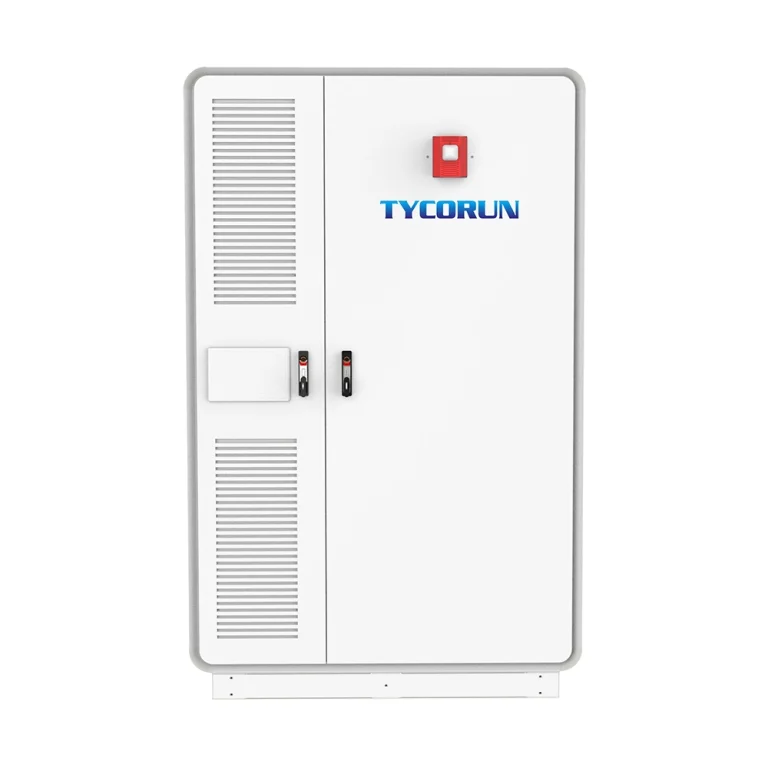

energy storage system

Battery health – a guide to understand it

Battery health - a guide to understand it
Maintaining optimal battery health is essential for the efficient operation of energy storage systems and electronic devices. This article explores the intricacies of battery health, covering topics such as defining battery health, parameters influencing it (like Depth of Discharge and State of Charge), and best practices for maintenance.
Table of Contents
    Add a header to begin generating the table of contents

    Batteries are chemical systems that deteriorate over time, whether you use them regularly or not. However, since they are the power source of any energy storage solution, measuring this degradation and knowing the percentage of capacity retained is crucial.

    Doing this over time helps you to determine its sustainability as it encourages you to check battery health. This way, you’ll not be caught off guard by a sudden shutdown. Thus, we’ve disclosed all you need to know to check battery health.

    In this article, you’ll also discover the parameters that determine your battery’s health status. Stay fueled up and proactive with our professional check battery health suggestions.

    YouTube_play_button_icon_(2013–2017)

    What is battery health?

    In essence, battery health is a measurement that shows how much of the battery has degraded and its remaining battery capacity. In simple terms, it’s the difference or distinction between the state of the old battery and the fresh battery.

    It’s often expressed as a percentage of the battery’s initial capacity since it’s a notion of how much charge your battery can hold in this current state compared to when it was brand-new.

    A healthy battery means you’ll get to power a device all day, but a bad one may leave you connected to an outlet for frequent charging. It is advisable to check battery health regularly because this helps you predict when it’s time for a replacement.

    Parameters related to battery health

    ● Depth of Discharge (DOD): The DoD of a battery refers to the percentage of energy you can discharge from it in relation to the total capacity of the battery. In other words, it demonstrates to what degree the battery may be depleted. For example, if the manufacturer of a 10kWh battery advises a maximum DoD of 80%, you should not use more than 8kWh before recharging. In this sense, a higher DoD allows you to use more of the energy stored in your battery. Likewise, a lower DOD means less strain on the battery, leading to a longer lifespan.

    ● State of Charge (SoC): A battery’s state of charge is a metric that indicates the current charge level relative to its capacity. You can know a battery’s SoC value by comparing the amount of energy you can extract from the cell at a specific moment in time to its total capacity. Knowing this is essential to prevent deep discharges and overcharging, two situations that can negatively impact battery health.

    ● Charging Voltage: Like other terms, charging voltage is the specific voltage the manufacturer recommends you use when recharging your battery. In an actual sense, the voltage at which a battery is charged affects its health. Charging at a voltage that’s too high can cause overheating and reduce the battery’s longevity, thereby giving less expectation when you check battery health.

    ● Charge Cycles: Charge cycles represent the number of times a battery may be charged from 0% to 100% throughout its lifetime. The battery’s capacity decreases gradually with each cycle, representing the aging process. The number of charge cycles sometimes measures a battery’s lifespan it can go through before its capacity drops to a specific level, usually about 80% of its initial capacity. Batteries that have undergone more charge cycles often have lower health when you check battery health.

    Why is it important to regularly check battery health?

    The goal of testing battery status on a regular basis is to avoid and discover problems early. Monitoring the health of your battery, like seeing a doctor to guarantee your well-being, helps prevent performance issues and extends its service life.

    It’s a proactive approach to device management, allowing you to detect and fix battery issues before they become critical. Hence, this reduces the need for emergency replacement and the associated costs. Similarly, when you precisely check battery health, you can help extend battery cycle life by taking preventative steps like proper recharging and frequent maintenance.Why is it important to regularly check battery health

    How often should I check my battery health?

    There is no set frequency or timing to check battery health. However, routine inspections up to twice a year are recommended to ensure that your battery is in good condition. After the summer heat, the battery may have been damaged and is no longer performing well when the winter weather arrives.

    Heat significantly reduces battery life, and even the winter can be detrimental to batteries, particularly those that are extremely cold. So, when winter hits, the oldest batteries are nearing the end of their life; therefore, try to check battery health at least twice a year.

    How do I know my battery health?

    Apart from the traditional method of using a multimeter to check battery health, you can also use some ideas like taking note of battery runtime, slow shutdown, or whenever you get an unexpected shutdown. Some batteries or devices often have an indicator that lets you check battery health according to charge cycles. Users with advanced knowledge of a cell can check battery health using a multimeter:How do I know my battery health
    Below is a step-by-step guide to using a multimeter to check battery health:

    ● Step 1: You must fully charge your battery to get an accurate reading and then disconnect it from its power source before you check battery health.

    ● Step 2: Set your multimeter to DC voltage mode. Find the battery’s terminals and attach the multimeter’s positive probe to the positive terminal and the negative probe to the negative terminal.

    ● Step 3: After completing the second step, check the voltage reading on the multimeter and note it down. To evaluate the health of your battery, compare the reading on the multimeter to the predicted voltage range for that sort of battery.

    What are the signs of battery degradation?

    Battery degradation is a normal process influenced by factors such as temperature, number of cycles, and depth of discharge. Some of the most obvious signs that your battery is degrading are decreased battery life, voltage drop, and reduced efficiency. If you notice that your device needs to be recharged more frequently than before, this could be an indication that the battery capacity is decreasing.

    Additionally, reduced device performance can also be a sign of battery degradation. If you notice that your device is running slower than usual or that the battery life is decreasing rapidly, this could be a result of battery degradation.

    Another viable way to tell that your battery is degrading is when the temperature emitted during usage and charging becomes higher than usual. A degrading battery also experiences some visible changes, like a swollen battery case or leaks.What are the signs of battery degradation

    What are the best practices for maintaining battery health?

    ● Smart Charging Process: Smart battery charging techniques are a means of preserving battery health, as charging habits have a major impact on battery health. In summary, establishing a smart charging process will help you avoid overcharging and whole 0–100% charge cycles. Regular charging, maintaining its level between 20 and 80%, and using the manufacturer chargers will all contribute to the steady health of your battery. Furthermore, avoid using fast chargers as they often produce a higher temperature that weakens the battery.

    ● Temperature Management: Temperature control is crucial for keeping your batteries healthy since severe temperatures can impair their performance and capacity. Avoid exposing batteries to excessive heat or cold temperatures below 0°C and above 30°C because this might cause the battery to freeze or overheat. To maximize battery life, charge and store your device in a cool, dry area. Check the temperature regularly to guarantee that the battery remains within a safe temperature range, which prevents damage and extends its life.

    ● Battery Maintenance: Battery maintenance aims to preserve the health of your power source. To avoid damage, keep your batteries properly, refrain from overcharging, and clean the terminals regularly. Another way to keep your battery healthy is to calibrate it by completely draining it and then charging it again. By following these easy methods, you may considerably increase the battery’s lifespan and maintain the dependability and effectiveness of your device.

    What should I do if i suspect my battery health is declining?

    Remember, this is normal since your batteries are consumables, so don’t panic when you suspect their health is declining. You can adopt some practices to keep getting the proper power pending till when you can replace the battery. Even though the right and first thing to do whenever you notice a decline is to replace the battery, you can optimize its usage if you can’t change it instantly.What should I do if I suspect my battery health is declining

    You can achieve this by adjusting your device settings to reduce power consumption. You can also optimize your charging habits by avoiding full charges and by adjusting the temperature at which you charge them.

    Monitor your battery usage to avoid a total shutdown due to an overstraining battery. All these won’t help retain a healthy battery, so make it a habit to check battery health to know how soon you need to replace it.

    Conclusion

    Battery health status is a deep concern in this digital age, as we increasingly want to power our devices using renewable energy sources. A healthy battery allows you to use your devices for long hours without recharging them. This is why you must check battery health to know how much you can rely on your battery.

    logo+86 – 18925002618
    [email protected]
    Guangpu West Road, Huangpu, Guangzhou, Guangdong, China

    Product

    Video Gallery

    Huntkey automated battery storage workshop process
    Huntkey Grevault participated in Germany ESE exihition with 5KW mobile power bank
    Contact Form Demo
    Scroll to Top