
energy storage system

How to Replace Samsung Watch 4 Battery

How to Replace Samsung Watch 4 Battery
This article will give you a detailed introduction on how to replace the battery of Galaxy Watch 4 safely and efficiently, and list the key operating steps and precautions to help you complete the repair independently and extend the life of the watch.
Table of Contents
    Add a header to begin generating the table of contents
    YouTube_play_button_icon_(2013–2017)

    Samsung Galaxy Watch 4 is a smartwatch that integrates health tracking, intelligent interaction and stylish appearance. However, as the use time increases, the battery performance begins to decrease, which manifests as shorter battery life cycle, inability to charge, and even freezing and not turning on. Many users have therefore begun to search for “How To Replace Samsung Watch 4 Battery” online to find a solution.

    This article will give you a detailed introduction on how to replace the battery of Galaxy Watch 4 safely and efficiently, and list the key operating steps and precautions to help you complete the repair independently and extend the life of the watch. 

    Also read other battery knowledge to know more information below:

    battery maintenance

    Battery material

    Battery electrolyte

    Battery formation

    Preparation - Tools and Environment

    Before you start, please make sure to prepare the following:

    Tool list:

    • Y00 triangular screwdriver (for back cover screws)
    • Phillips screwdriver (for internal structure)
    • Plastic pry bar (anti-static, for opening back cover)
    • Tweezers (for grabbing small parts or cables)
    • Replacement battery (model must match Samsung Watch 4, original recommended)
    • Anti-static bracelet (optional, for protection)

    Safety advice:

    • Discharge the battery to below 25% to prevent accidental short circuit or overheating.
    • Avoid wearing metal jewelry during operation to prevent circuit short circuit.
    • If the battery is swollen or leaking, please wear protective gloves.

    Detailed steps for replacing the battery of Samsung Watch 4

    Please follow the following order:

    1. Turn off the device and remove the strap
    Press and hold the power button to turn off the watch and avoid operating it when it is powered on. Then remove the Samsung watch 4 bands from the watch body for subsequent disassembly.

    2. Remove the back cover
    Use a Y00 screwdriver to remove the four screws on the back of the watch.
    Use a plastic pry bar to insert the gap in the back cover and pry it open carefully. Note: Do not pull the back cover violently, as there is a sensor cable connected to it.

    3. Disconnect the sensor cable
    After the back cover is opened, you can see the cable connected to the motherboard. Use a plastic pry bar to gently pry up the cable plug to completely separate the back cover.

    4. Preparation before removing the motherboard
    Use a Phillips screwdriver to remove the screws that secure the motherboard. Then disconnect the following cable connections:

    • Display cable
    • Power/side button cable

    5. Remove the motherboard
    Use your fingertips to gently lift the edge of the motherboard and remove it from the case to expose the battery.

    6. Remove the battery
    The battery is usually fixed with light adhesive.
    Use a plastic pry bar to slowly pry up from the bottom of the battery, do not use metal tools.

    Note: The battery is still connected to the motherboard by a cable, do not pull it out by force.

    7. Disconnect the battery connector
    Use tweezers or a plastic tool to disconnect the battery connector, and then remove the old battery.

    8. Install the new battery
    Insert the new battery connector back into the motherboard and make sure it is securely connected. Place the battery in the battery slot and align the position.

    9. Reassemble

    • Put the motherboard back in and tighten the screws;
    • Reconnect the display and button cables;
    • Install the sensor cable and close the back cover;
    • Tighten the four screws on the back cover;
    • Install the strap to complete the entire replacement process.
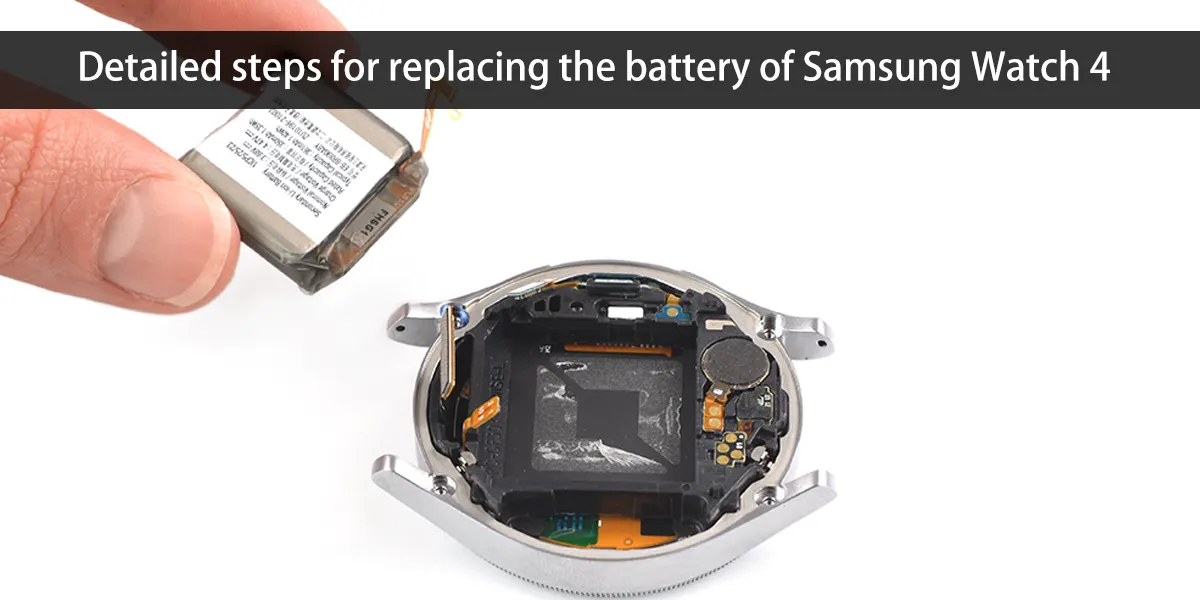
    Detailed steps for replacing the battery of Samsung Watch 4

    Precautions for How to Replace Samsung Watch 4 Battery

    During the operation, it is recommended to pay attention to the following matters:

    1. Avoid excessive force
    Do not be too violent when prying the cover, breaking the cable, etc. to prevent the motherboard from breaking, the screws from slipping, or the sensor from being damaged.

    2. Pay attention to the waterproof structure
    If the rubber gasket on the back cover is damaged, it is recommended to replace it with a new one, otherwise it may affect the waterproof performance of the watch.

    3. Static protection cannot be ignored
    If conditions permit, wear an anti-static bracelet, or touch metal to discharge before operation to avoid damage to tiny components.

    4. Confirm battery compatibility
    The replacement battery should be the same model as the original one (e.g. 3.85V, 472mAh) and purchased through regular channels to prevent battery swelling or leakage.
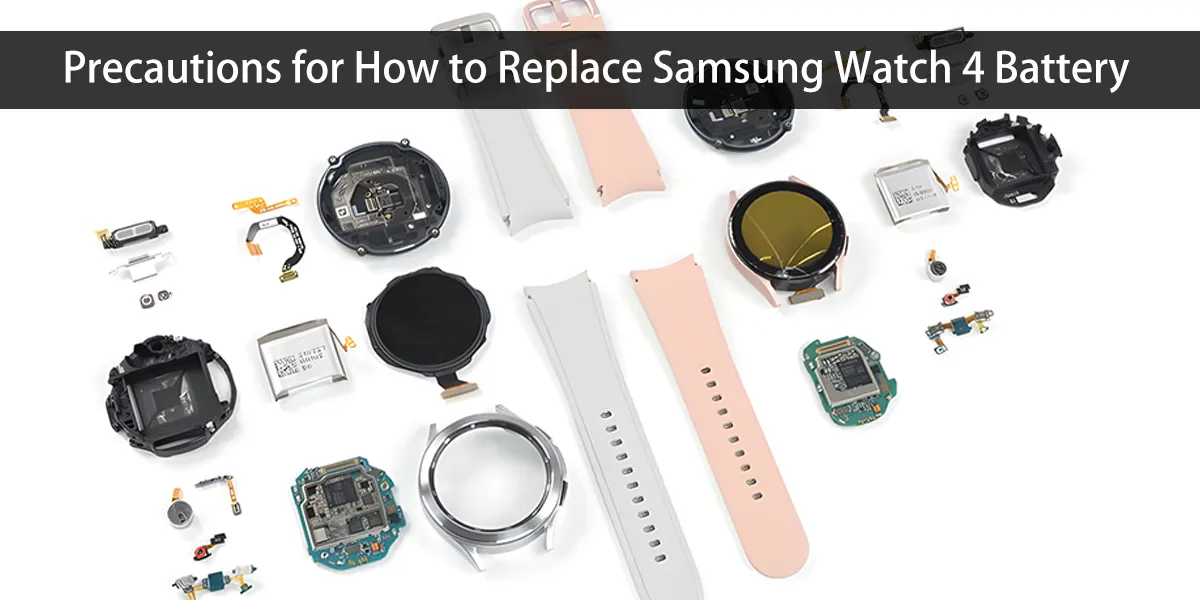
    Precautions for How to Replace Samsung Watch 4 Battery

    Inspection and debugging after Samsung Galaxy Watch 4 Battery Replacement

    • Power-on test: Long press the power button to start the device and check whether it can start normally.
    • Function verification: Test whether the touch response, button operation, Bluetooth connection, heart rate detection and other functions are normal.
    • Charging confirmation: Connect the charger to ensure that the new battery can charge normally.
    • Data recovery: If reset, you can restore the configuration through the Samsung Health or Galaxy Wearable app.

    Precautions for How to Replace Samsung Watch 4 Battery

    Summary: Replacing the battery is the key to extending life

    Although the Galaxy Watch 4 battery is not a module that can be easily replaced by users, through the detailed steps and precautions provided in this article, even users with average hands-on ability can try to complete the battery replacement by themselves.

    If you are not familiar with the internal structure, it is recommended to seek professional repair support to avoid unnecessary damage.

    Remember, reasonable use, regular maintenance and timely replacement of consumable parts can keep your Samsung Watch 4 with your life and sports every day!

    Related posts

    logo+86 – 18925002618
    [email protected]
    Guangpu West Road, Huangpu, Guangzhou, Guangdong, China

    Product

    Video Gallery

    Huntkey automated battery storage workshop process
    Huntkey Grevault participated in Germany ESE exihition with 5KW mobile power bank
    Contact Form Demo
    Scroll to Top